Choose a practical example, see where people approve the next step, and explore the real CX83 website implementation.
Three ways connected tools could help.
These are illustrative workflows. CX83 chooses, authorizes and tests each connection for a particular project.
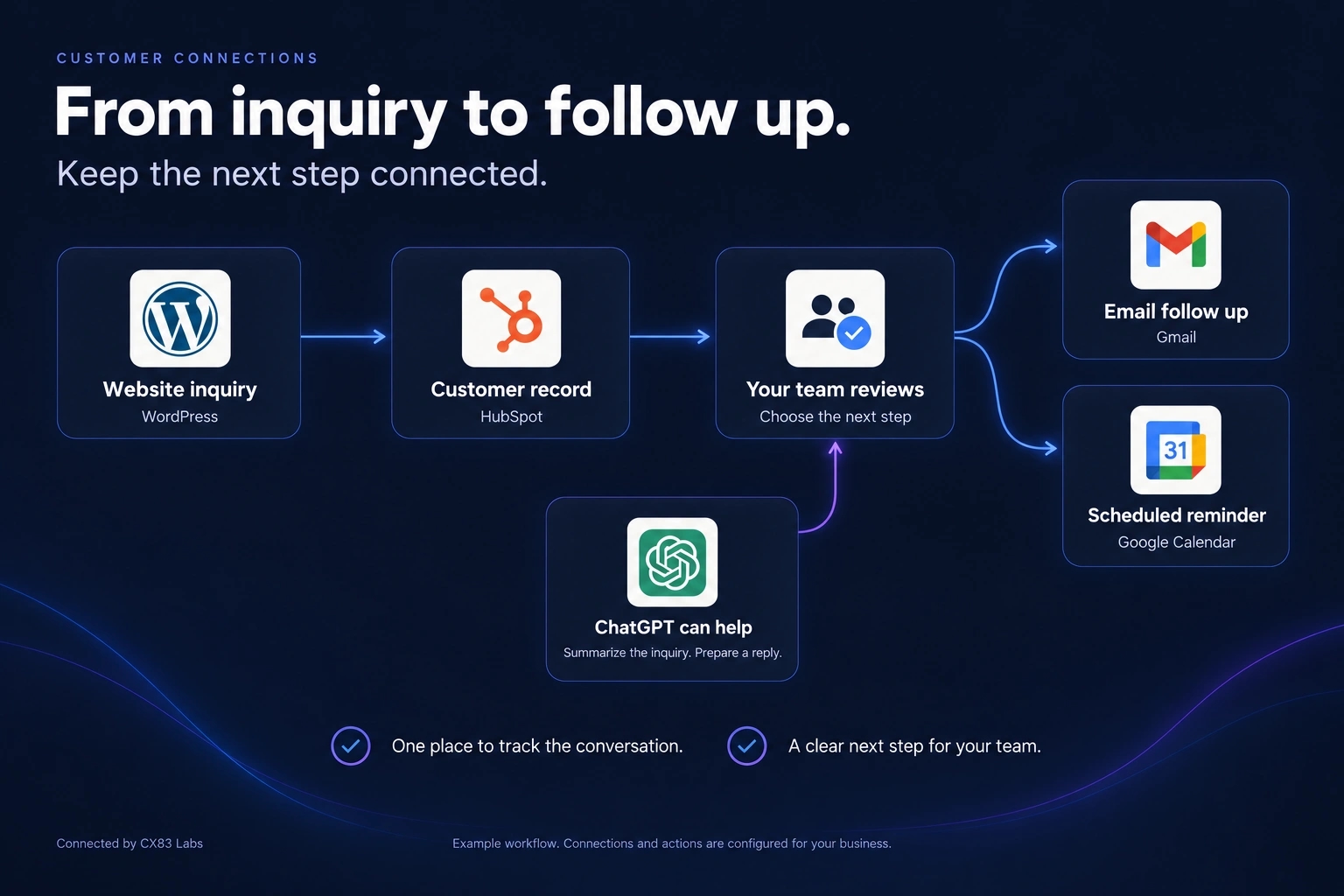
01 / Customers
From inquiry to follow up.
Give each inquiry a place to land and a clear next step. Your team reviews the context before following up.
Capture
A WordPress inquiry becomes a customer record in HubSpot.
Review
ChatGPT can summarize the inquiry and draft a reply. Your team chooses the next step.
Follow up
Send through Gmail or schedule a reminder in Google Calendar.
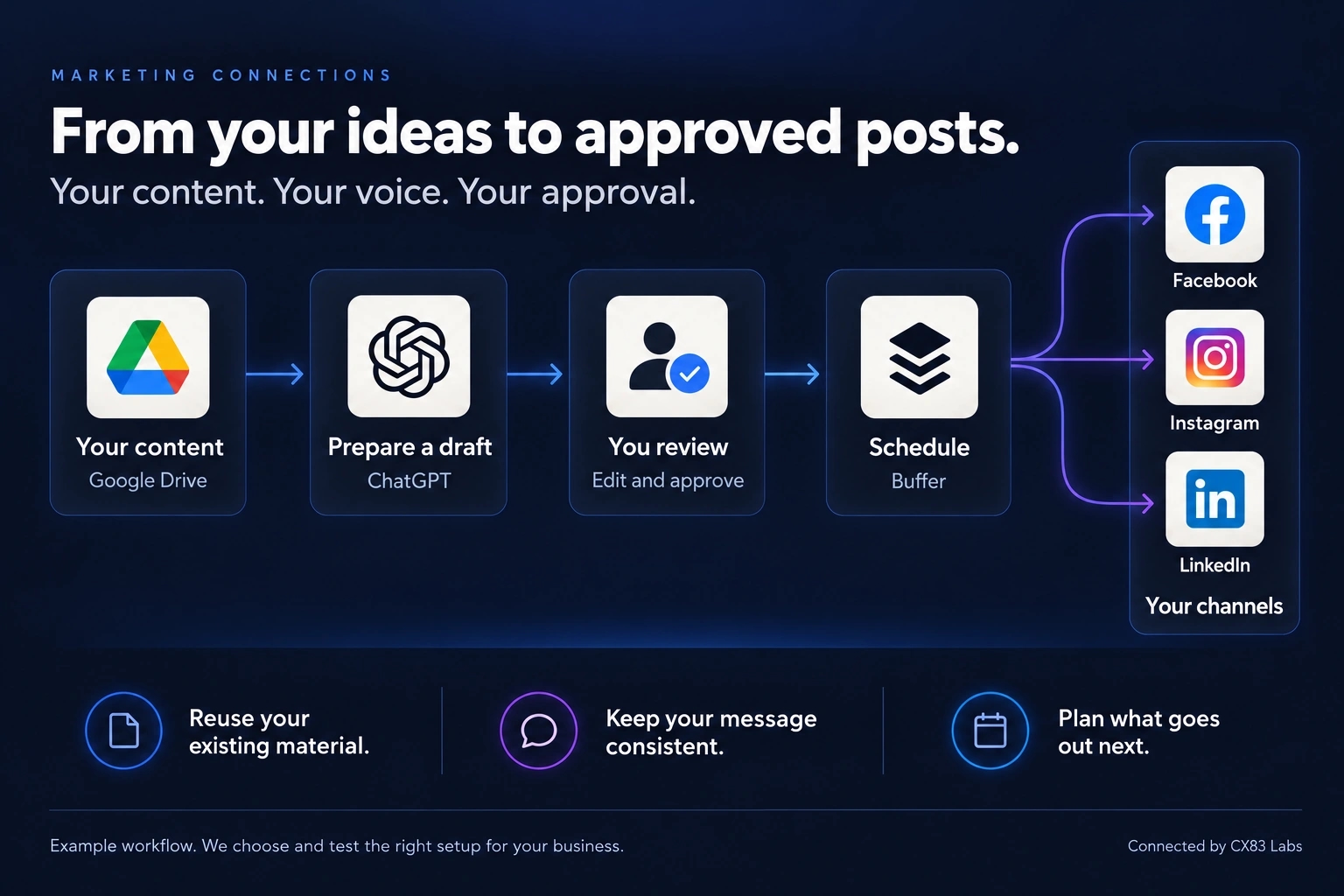
02 / Marketing
From your ideas to approved posts.
Use material you already have to prepare content, review it in your own voice and plan what goes out next.
Prepare
Start with your content in Google Drive. ChatGPT helps prepare a draft.
Approve
You review, edit and approve the content before it goes out.
Schedule
Buffer schedules approved posts for Facebook, Instagram and LinkedIn.
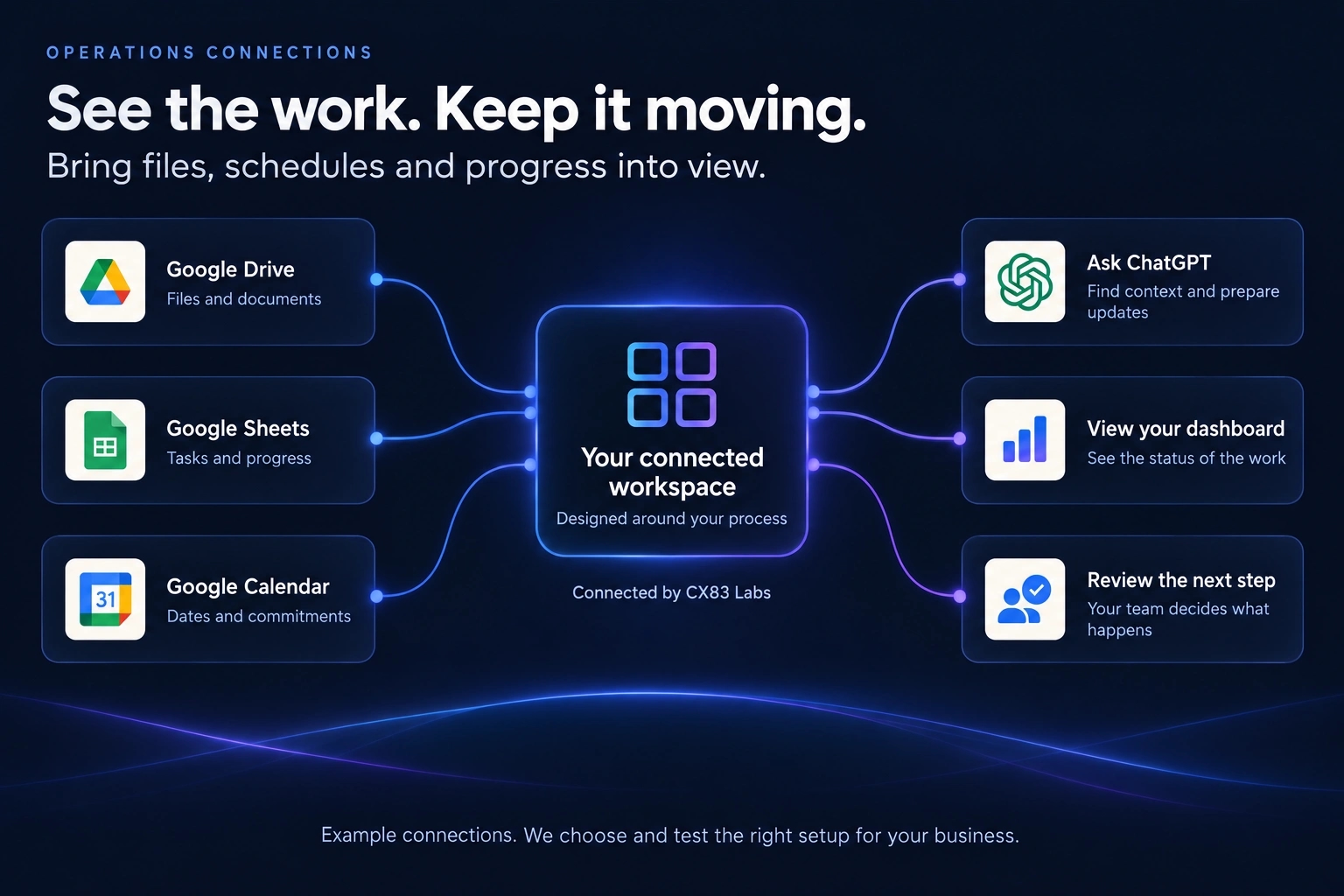
03 / Operations
See the work. Keep it moving.
Bring scattered files, schedules and progress into view, so your team can find context and decide what needs attention.
Connect
Bring Google Drive files, Google Sheets tasks and Google Calendar dates into a connected workspace.
Understand
Ask ChatGPT for context and draft updates. View work status in your dashboard.
Decide
Your team reviews the next step and decides what happens.
Explore the technical details
See the authorizations behind a real connection.
Choose a layer or workflow to inspect the access and review boundaries. Provider logos explain possibilities, not universal live integrations or endorsements.
CX83 connected ecosystem
Follow a request through real systems.
Choose a workflow or select any logo to explore its role, permissions and demonstrated status.
Step by step
Trace a website update
A real CX83 website update, verified on protected staging.
Step 1 of 7: Owner describes a real request. First party demonstrated route
Different access, different purpose
Cat is for visitors, not website administration.
The visitor route reads approved public CX83 information and leads to ordinary public pages. It has no link to private editing, deployments, billing or customer records.
→
→
→
Additional tools to explore, each with separate authorization and release status
Use Tab and Enter or Space to select a logo, category, scenario or journey step. Every connection requires appropriate permissions. Third party marks identify illustrative or demonstrated tools and do not imply partnership or endorsement.
A system you understand and can control.
We design around your accounts, data and approved permissions. Software rights depend on its actual license. Hosting, third party tools, AI usage and optional CX83 setup or managed support are separate decisions.
Customer installation packages are still being tested. The questions below explain the current boundaries in more detail.
What is possible today, what is still in development and what remains under your control.
Can CX83 connect the software we already use?+
Often, yes. We first check whether your current tools have supported APIs or integration options. We explain any access limitations and provider fees before proposing a connection.
Can an AI actually update my website?+
With an authorized integration, the owner can request changes through a connected AI tool. The underlying workflow still needs permission checks, version control, tests and a configured publishing step. Cat, the visitor assistant on this website, cannot edit or deploy code.
Will we own the software?+
The direction for CX83 software is customer-controlled hosting and the ability to keep using an appropriately licensed copy. The exact distribution rights and supported environments will be set in each approved product release. There is no customer installer available yet.
Is continued CX83 support required?+
Not as a blanket promise or requirement. For supported releases, CX83 intends to separate the product license from optional setup, managed hosting, updates, maintenance and support. Third-party platforms and AI providers may charge their own fees.
How does a project begin?+
Tell us what is difficult or what you would like to build. We look at your existing process, identify a useful first scope, explain the access and approval boundaries, and decide together whether to move forward. You do not need a technical specification.
Start with one problem worth fixing.
Tell us what your team repeats, where information gets lost or what you want to control.